Like Apple Fitness, but for screen time.
Block the apps that eat your day. Close your ring. See what every hour is worth.

7-day free trial. Cancel anytime.
 Scan with your iPhone camera
- iPhone, iOS 26 or later
- 16 languages
- No account needed
What is your scrolling worth?
Set the hours and your rate. The meter shows what a year of scrolling is worth, in money or in time.
How it works
Pick what to block
Choose the apps or categories that pull you in. Moneyfesting shuts them on a schedule or for a focus session, through Apple's Screen Time.
Set your hourly rate
Say what an hour of your time is worth. A typical rate for your country is suggested, and you can change it any time.
Watch the hours add up
Every focused hour shows its value on your ring, in Insights and on the Home Screen widget. Your streak grows one day at a time.
What the app does
Blocked apps stay shut
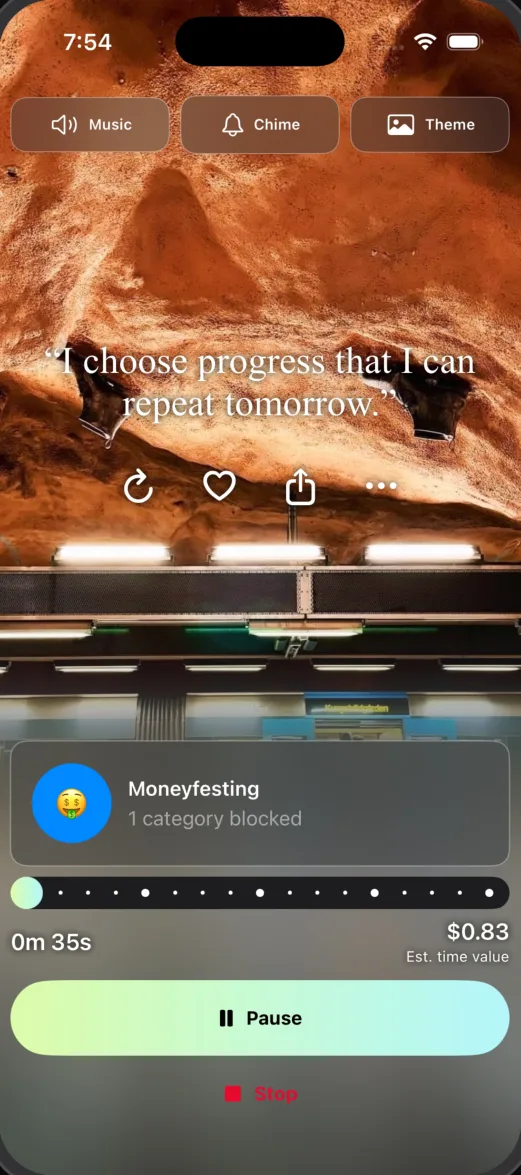
Start a session and the apps you picked stay blocked until your progress ring closes. A quote keeps you company, and the meter runs.
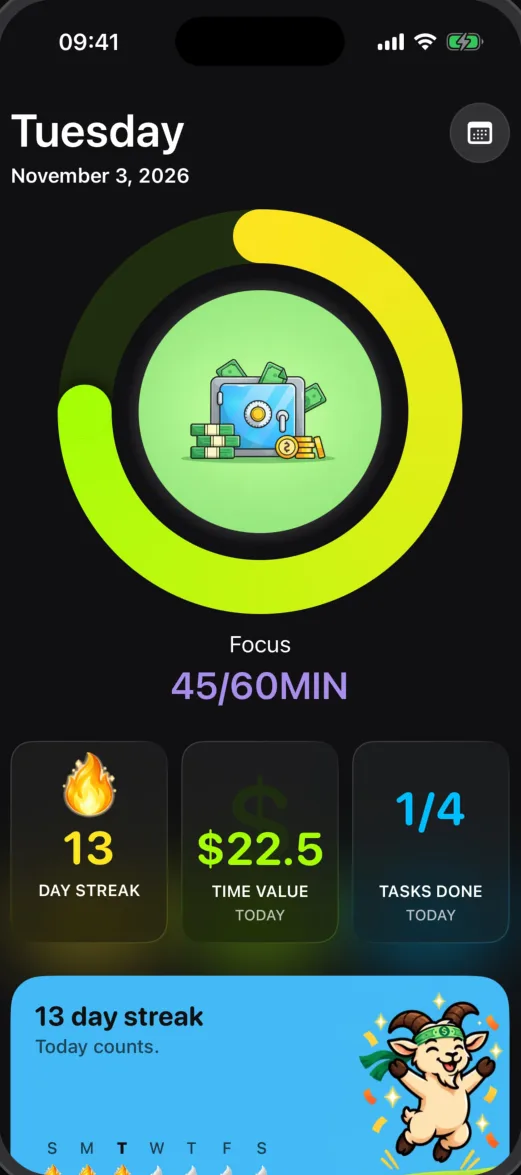
Your day in one ring
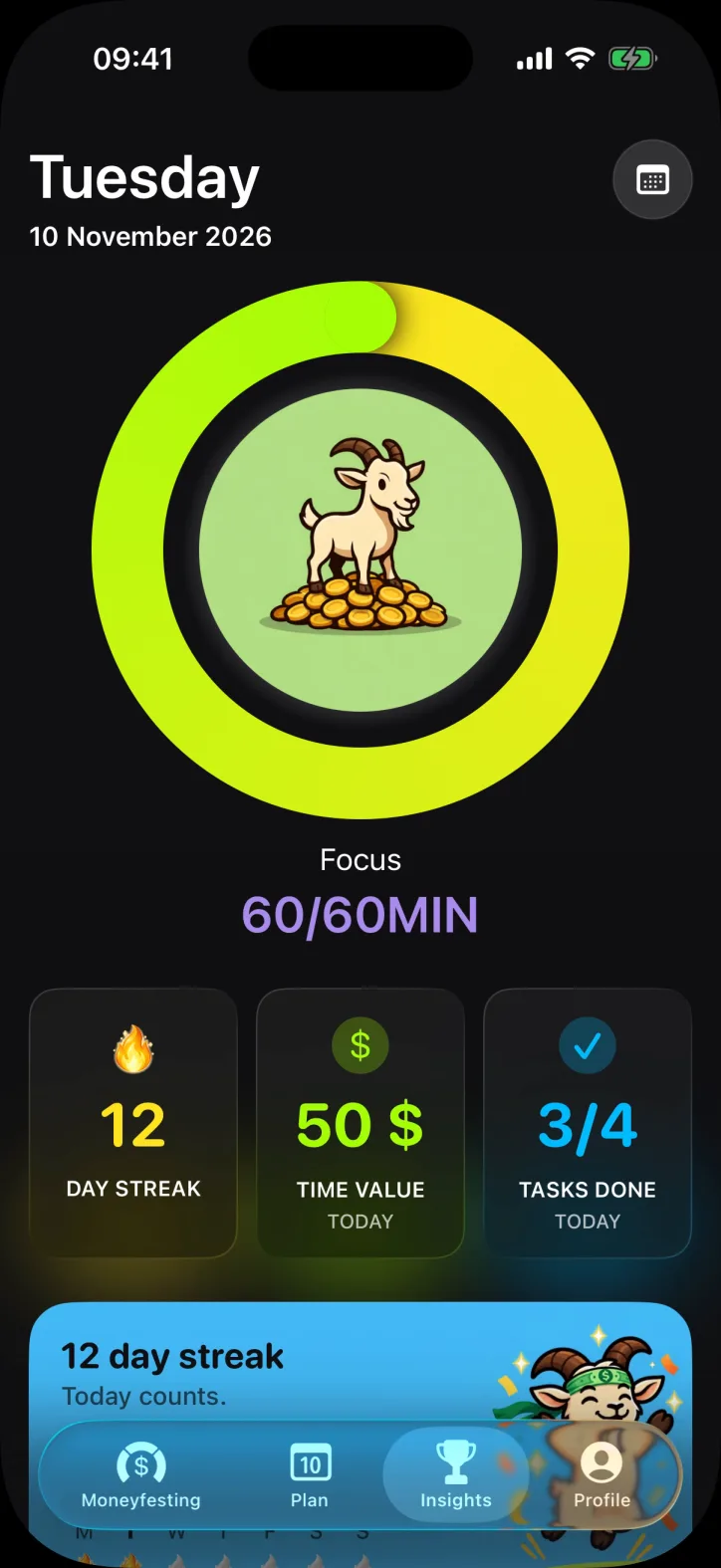
A daily focus target, the value of today's focus, tasks done and your streak, on one screen.
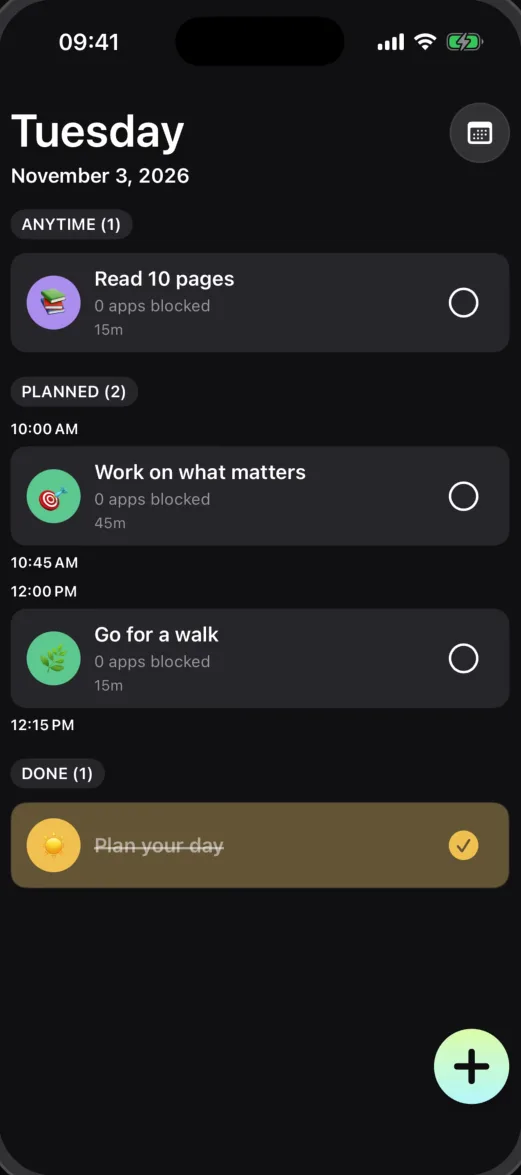
A plan you can finish
Tasks and habits in one simple daily plan, each with time set aside and its own block list.
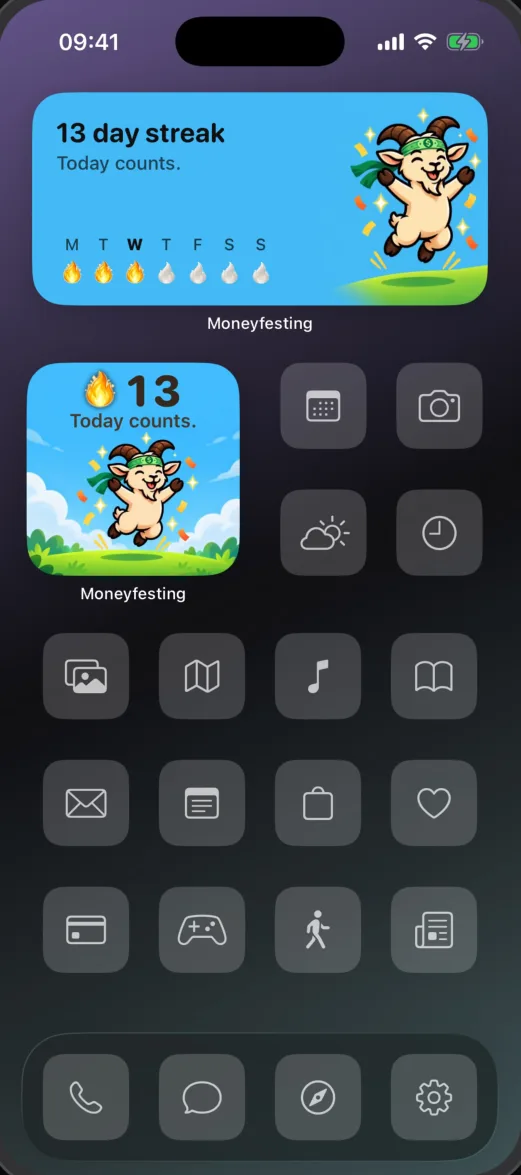
Your streak, on the Home Screen
Widgets keep the streak in sight. One earned freeze covers a missed day.
Stop opening apps by reflex.
During a focus session, Moneyfesting steps in when you open an app you blocked: read an affirmation out loud, or take a few slow breaths. Then you decide: back to focus, a short break, or ending the session. Often, that moment is all it takes.

Read it aloud
I decide what deserves this next hour.
I protect my attention like a valuable resource.
I choose presence over the urge to refresh.
Read along as the words light up.Well done for pausing
What users say
Three people who use Moneyfesting every day.
- ★★★★★
The ring changed my evenings
I used to lose two hours a night to short videos. Now the apps stay shut until my ring closes, and watching the time value climb is oddly motivating. Most nights I don’t even miss them.
Bianca
- ★★★★★
A blocker I don’t fight
Other apps just locked me out, so I turned them off. Here I have to breathe or read a line out loud first, and most of the time I put the phone down instead. Three weeks in, my screen time is about half what it was.
Gabi
- ★★★★★
Seeing the cost made it real
Putting an hourly rate on my scrolling was the push I needed. Now I start a focus session before work, the streak keeps me honest, and the goat on the blocked screen always makes me smile.
Chris
Private by design
- What it needs
- Screen Time access, so it can block the apps you choose. Nothing else.
- What it never sees
- Which apps you use or what you do in them. Apple's Screen Time keeps that on your iPhone.
- Where your data stays
- There is no account. Your rate, plan and streak live on your iPhone. Usage analytics are tied to a random ID, never to your name.
Questions
Is Moneyfesting free?
The app is free to download. Blocking, focus sessions, Insights and widgets are part of Moneyfesting Pro, which comes with a 7-day free trial on the yearly plan. The App Store shows the price in your currency before you start, and nothing is charged until the trial ends. A weekly plan without a trial is also available.
Does it really block apps?
Yes. Moneyfesting uses Apple's Screen Time to shield the apps and categories you choose. A blocked app shows a calm screen with the goat until your session ends or the schedule lifts.
Which iPhones does it run on?
Any iPhone running iOS 26 or later. There is no iPad, Mac or Android version.
Do I need an account?
No. There is nothing to sign up for. Your settings stay on your iPhone, and Apple handles the subscription.
Is the money real?
No. The figure is an estimate of what your time is worth at the rate you set, so you can see what an hour of scrolling costs you. It is not money earned or saved.
Which languages does it speak?
Sixteen: English, Danish, Dutch, French, German, Greek, Hebrew, Hungarian, Italian, Norwegian, Polish, Portuguese, Romanian, Spanish, Swedish and Turkish. The app follows your iPhone's language, and you can switch inside the app.
How do I cancel?
In the iPhone Settings app, under your name and Subscriptions, or in the App Store. Cancel before the trial ends and nothing is charged.
Your time is worth more than you realize.
Take it back, one hour at a time.