Add Moneyfesting widgets
Keep a quote, your streak or today's plan in sight without opening the app. Moneyfesting has six widgets for the Home Screen, and the streak also fits on the Lock Screen.
Updated 10 November 2026. Steps checked on iOS 26.1.
The widgets
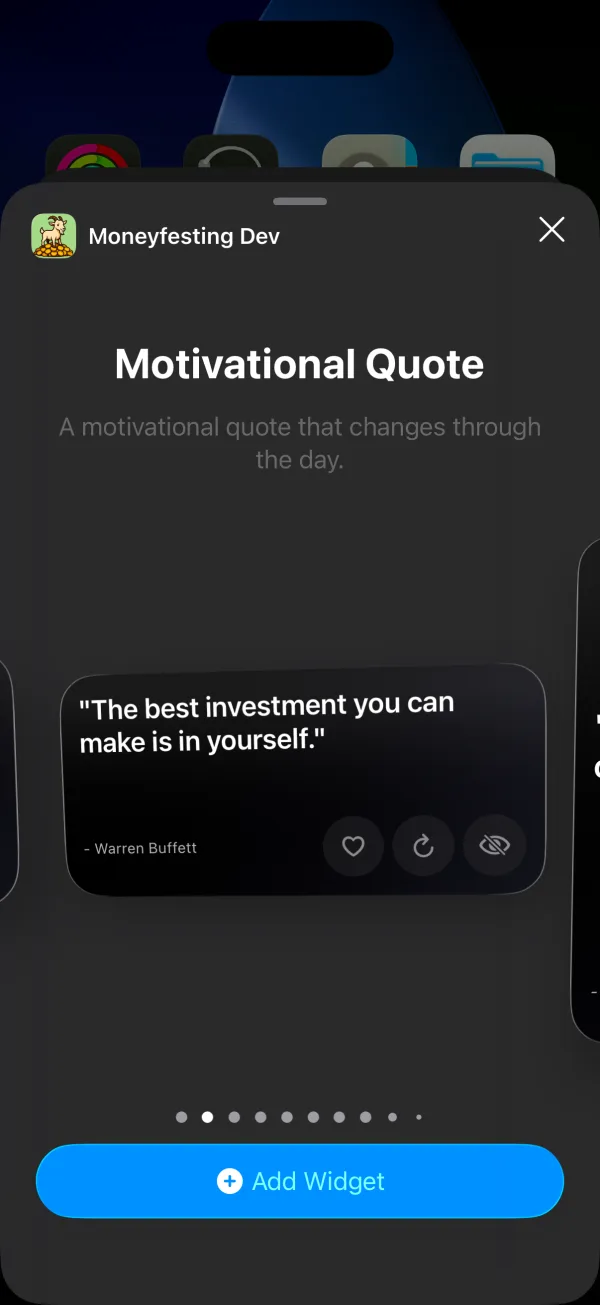
- Motivational Quote (small, medium, large): a quote that changes through the day. The medium and large sizes add buttons to like, refresh or hide it.
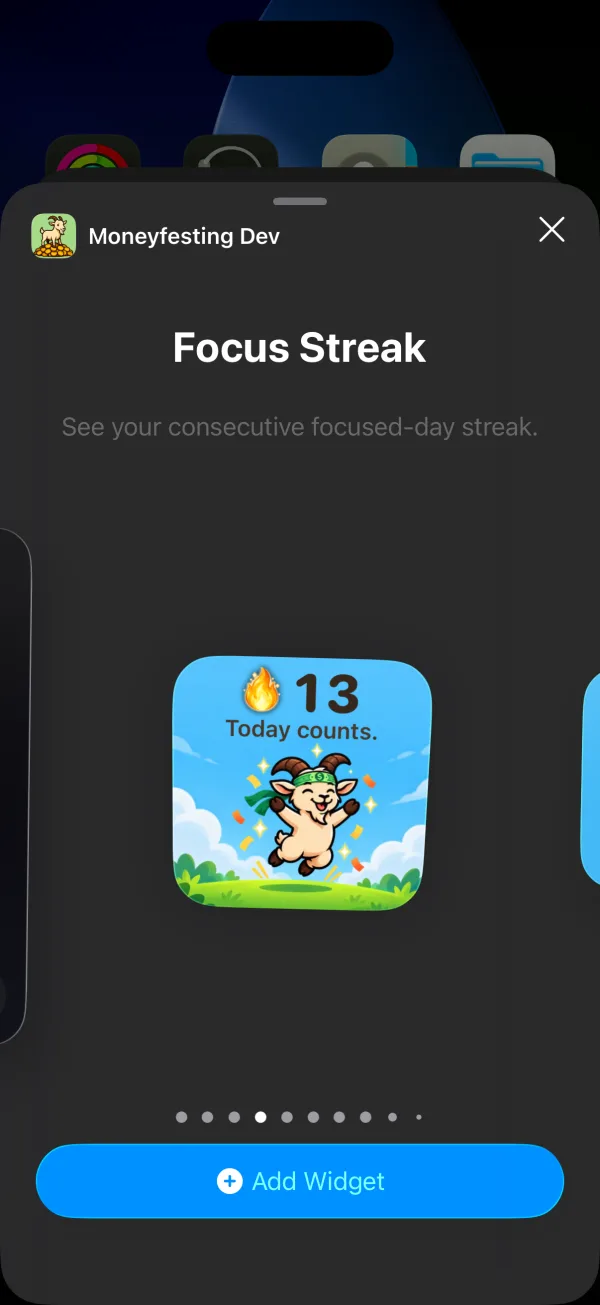
- Focus Streak (small, medium, Lock Screen): your run of focused days. Tap it to open Insights.
- Focus Goal (small, medium): today's focused minutes toward your daily goal.
- Today Plan (small, medium, large): today's tasks. Tap a checkbox to tick one off.
- Start Focus (small): choose 5 to 120 minutes with + and −, then start a session. During a session it takes you back to it.
- Monthly Time Value (medium): what this month's focus time is worth and a month-end estimate. It is a value, not money earned.
Before you start
- Moneyfesting Pro. Without it, each widget shows "No active plan" and opens the plans when you tap it.
- Moneyfesting opened at least once since you installed it.
Add one to the Home Screen
- Touch and hold an empty spot on the Home Screen until the apps jiggle.
- Tap Edit, then Add Widget.
- Search for Moneyfesting and tap it.
- Swipe to the widget and size you want, then tap Add Widget.
- Drag it into place and tap Done.
Add the streak to the Lock Screen
- Unlock your iPhone, then touch and hold the Lock Screen until Customize appears, and tap it.
- Tap Add Widgets.
- Find Moneyfesting in the list and tap Focus Streak.
- Swipe the list down and tap Done.
Apple shows both in How to add and edit widgets on your iPhone.
In StandBy
When your iPhone charges on its side with the screen locked, StandBy shows widgets large enough to read across the room. Touch and hold the widgets in StandBy to add Focus Streak or Focus Goal. Apple explains StandBy in Use StandBy on iPhone.
If a widget looks wrong
- It says "No active plan". Check that Moneyfesting Pro is active in Profile, under Subscription, then open the app once.
- Moneyfesting is missing from the widget list. Open the app once, then look again.
- A number lags behind the app. iOS decides when widgets refresh, so a widget can trail the app for a while.
Questions
Can I choose which quotes the widget shows?
Yes. It uses the categories you pick in Profile, then Quote Categories.
Is the time value money I earned?
No. It is what your focus time is worth at your hourly rate, to show what scrolling costs. No money moves.