Use Siri, Spotlight and the Action button
Four Moneyfesting actions work without opening the app first. Ask Siri, find them in Spotlight, or put one on the Action button.
Updated 10 November 2026. Steps checked on iOS 26.1.
The four actions
- Start Focus: say "Start a focus session in Moneyfesting". The app opens and starts a session with the length and blocked apps set on its main screen.
- Show a Quote: say "Show me a quote from Moneyfesting". A quote appears in a small card, without opening the app.
- Add Task: say "Add a task in Moneyfesting". The app opens on Plan, ready for a new task.
- Today's Time Value: say "What's my time value in Moneyfesting". Siri answers without opening the app.
All four need Moneyfesting Pro.
From Spotlight
Swipe down on the Home Screen and type Moneyfesting. Three actions appear under the app, and Show More lists all four. Tap one to run it.
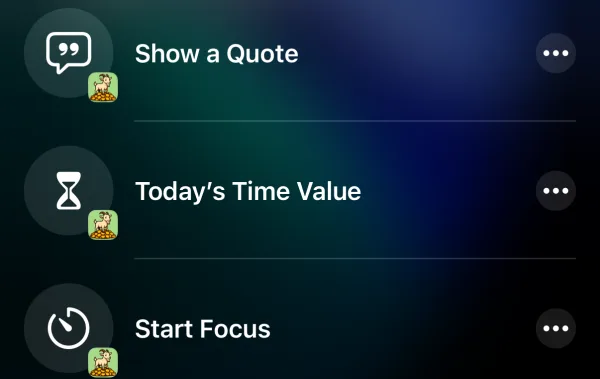
With the Action button
On an iPhone with an Action button:
- Open Settings and tap Action Button.
- Swipe to Shortcut.
- Tap Choose a Shortcut…, then Moneyfesting, and pick an action, for example Start Focus.
Now press and hold the Action button to run it. Apple explains the settings in Use and customize the Action button.
In an automation
The same actions run on their own from the Shortcuts app's automations:
Questions
Siri says to open Moneyfesting
Show a Quote and Today's Time Value need an active plan and a quote ready on your iPhone. Open the app once, then ask again.
Can I use my own words?
Yes. In the Shortcuts app, make a shortcut that runs a Moneyfesting action and give it any name. Siri runs it when you say that name.
Which iPhones have an Action button?
iPhone 15 Pro, iPhone 15 Pro Max and later models. Apple lists them in its Action button guide.