Show a quote when your alarm stops
Stop your alarm and the first thing you read is a quote or affirmation from Moneyfesting. One Shortcuts automation sets it up, once.
Updated 9 November 2026. Steps checked on iOS 26.1.
What you see
When you stop an alarm, Shortcuts runs Moneyfesting's Show a Quote action. A quote or affirmation from the categories you chose appears in a small card, without opening the app.
Before you start
- An iPhone with iOS 26 or later, and Apple's Shortcuts app, which comes with it.
- Moneyfesting Pro. Without it, the card asks you to open Moneyfesting instead.
- Quote categories you like. Pick them in Moneyfesting under Profile, then Quote Categories.
Set it up
It takes about a minute, once.
- Open Shortcuts and tap Automation.
- Tap New Automation, or + if you already have automations, then choose Alarm.
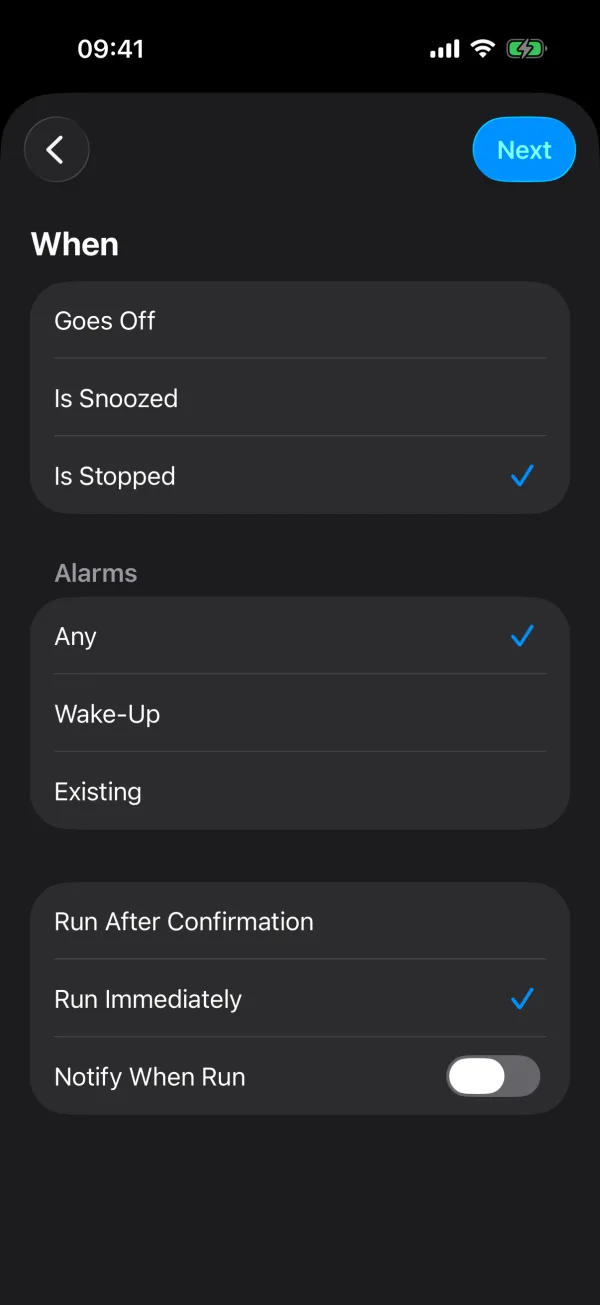
- Keep Is Stopped selected. Under Alarms, keep Any, or choose Wake-Up for your sleep schedule's alarm only.
- Choose Run Immediately, leave Notify When Run off, then tap Next.
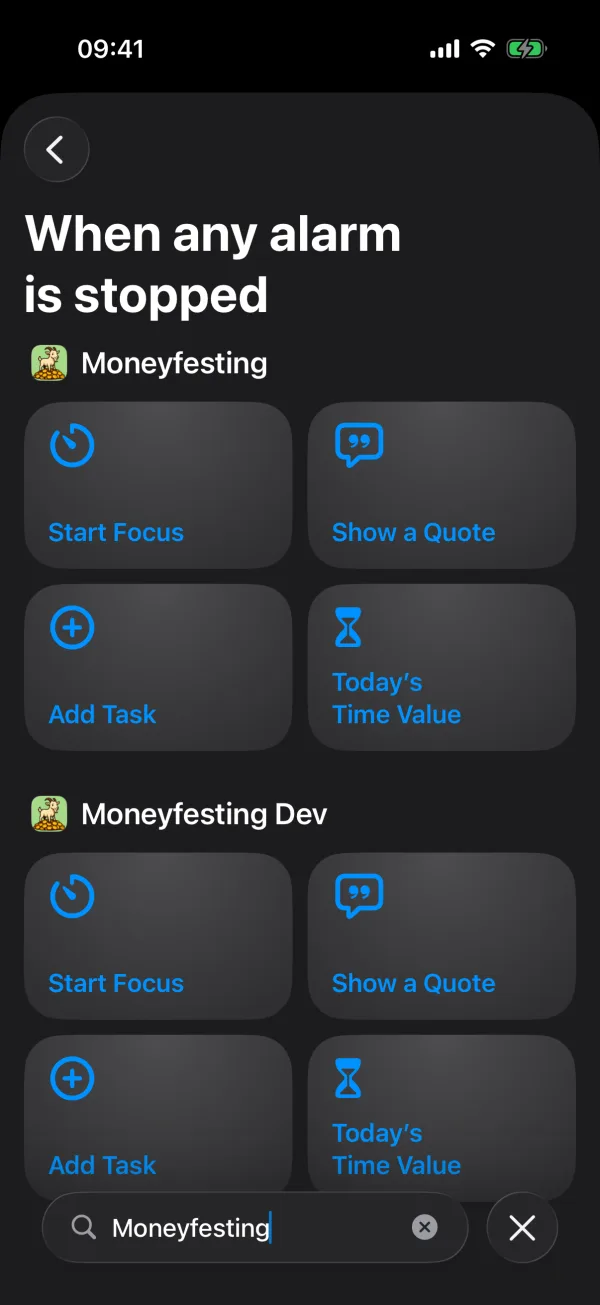
- In the search field at the bottom, type Moneyfesting and tap Show a Quote. Shortcuts saves the automation straight away.
Run Immediately matters. With Run After Confirmation, iOS asks before every run, so you would have to tap a notification before you see the quote.
Try it
Set an alarm for a minute from now in the Clock app and stop it when it rings. The quote should appear straight away.
If no quote appears
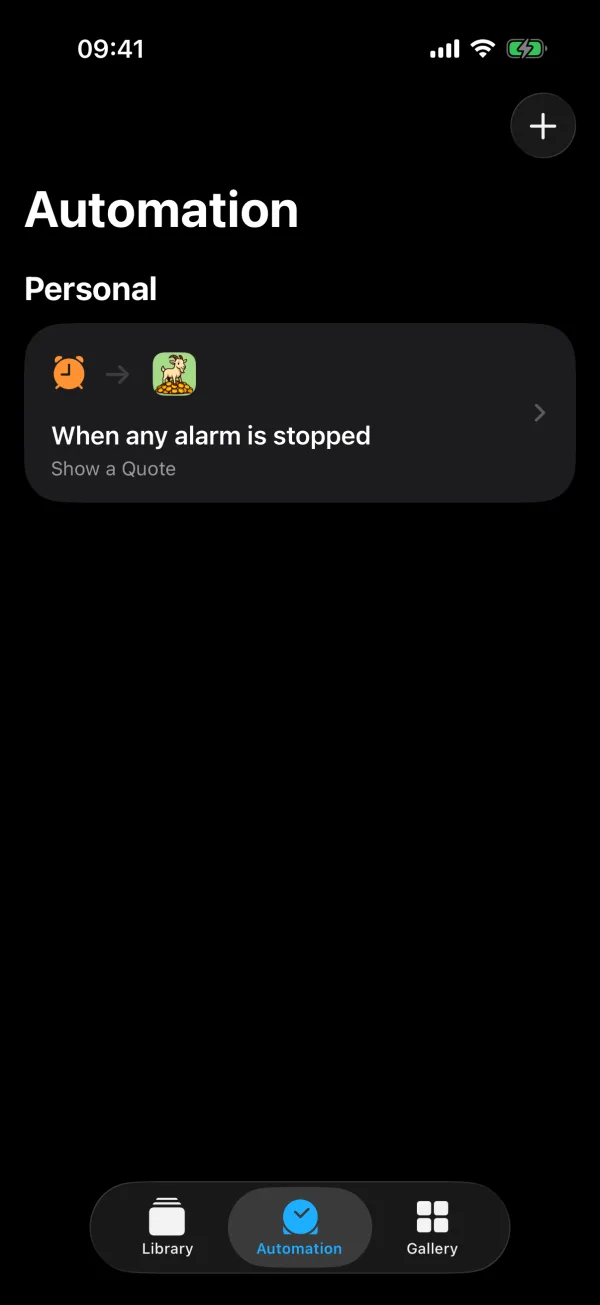
- In Shortcuts, under Automation, check that the automation says When any alarm is stopped and Show a Quote.
- Open the automation and check that it runs immediately.
- Right after an iPhone restarts, automations can take a minute or two to start running again.
- To see whether the automation runs at all, turn on Notify When Run for a morning. A banner appears each time it runs. Turn it off again once the quote shows.
The card says to open Moneyfesting
Open the app once. The card asks for this when Moneyfesting Pro is not active or no quote is ready yet.
A banner appears each time
Open the automation in Shortcuts and turn off Notify When Run.
Questions
Can I choose which quotes appear?
Yes. The quote comes from the categories you pick in Moneyfesting under Profile, then Quote Categories.
Does it work with my sleep schedule's alarm?
Yes. Keep Any to cover every alarm, or choose Wake-Up for that alarm only.
How do I turn it off?
In Shortcuts, tap Automation, swipe left on the automation and tap Delete.
More help
- Apple's guide to alarm triggers in Shortcuts
- Apple's guide to creating a personal automation